I've been wanting to build a native iOS app for Smmall Cloud for a long time. The web app works fine on mobile, but "works fine" isn't the same as "feels right." Uploading a photo from your camera roll shouldn't involve opening Safari, logging in, and navigating to an upload page. It should be a tap. Maybe two.
So I built the thing. Smmall Cloud is now on the App Store.
What it does
The app gives you everything you'd expect from the web version, but designed around how people actually use their phones:
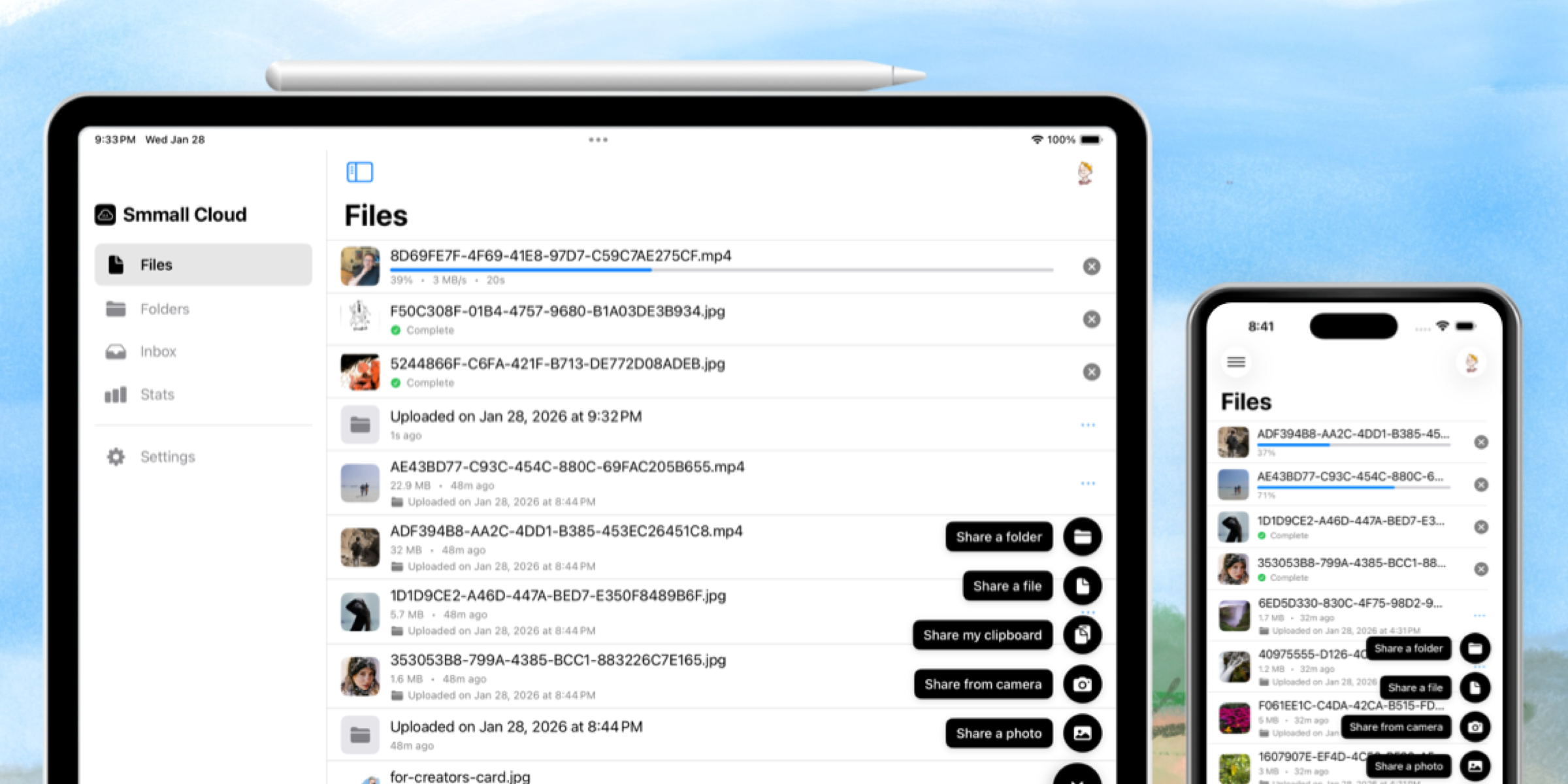
- Upload anything: Photos, videos, files, even stuff from your clipboard. Pick from your camera roll, snap a photo, or use the file picker. Large files get chunked into multipart uploads automatically so you don't lose progress if your connection drops.
- Browse and manage your files: Folders, file lists, search. You can multi-select, rearrange, and do batch operations.
- View files natively: Images, video, audio, and PDFs all open in native viewers. No janky web views. The audio player pulls ID3 tags so you see album art and metadata. Everything supports swipe-to-dismiss because that's how iOS should feel.
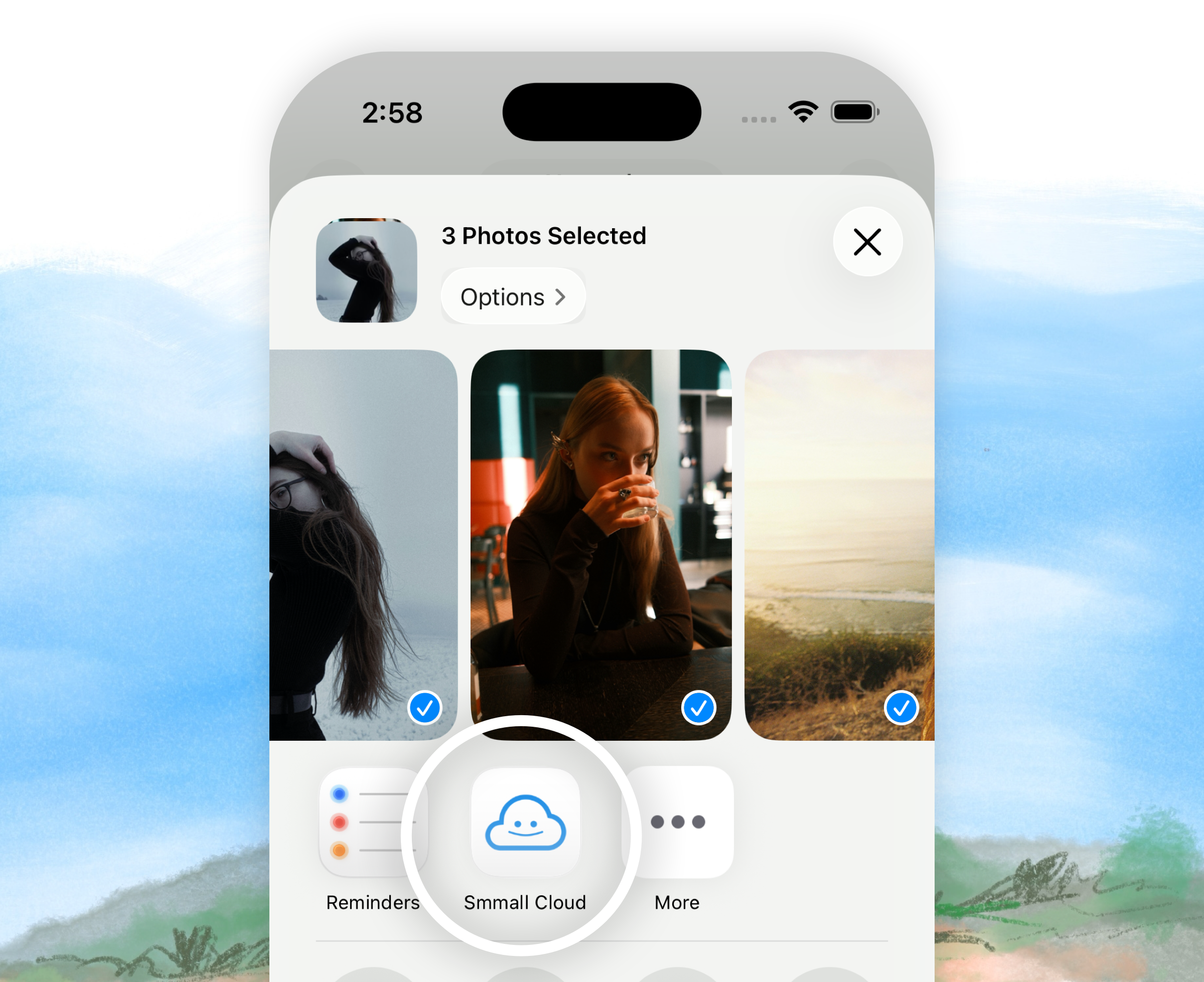
- Share from anywhere: There's a share extension, so you can send files to Smmall Cloud from any app on your phone. There's also a Messages extension so you can browse and share your files right inside iMessage without switching apps.
- Live Activity uploads: When you're uploading something big, you get a Live Activity in Dynamic Island and on your lock screen showing real-time progress. This was one of those features that was purely for fun but ended up being genuinely useful.
- Stats and analytics: View counts, download counts, popular files, referrers. All the analytics from the web, right in your pocket.
- QR codes: Generate a QR code for any file or folder instantly. Great for sharing things in person.
How I built it
The whole app is SwiftUI. As a long-time objective-c developer this was an interesting experience but I wanted to push myself to adopt this newer tech for the mobile app. I resisted the temptation to reach for UIKit except where Apple forces your hand (share extensions, the Messages extension). Even then, I wrapped everything in UIHostingController to keep the UI layer consistent.
The architecture is MVVM using Swift's @Observable macro. If you haven't used @Observable yet, it's a massive improvement over ObservableObject and @Published. Less boilerplate, fewer weird edge cases with view updates. Every view model is @MainActor and the global app state lives in an AppState object that gets injected through the environment. A weird shift from using singletons in obj-c but I think it's an improvment.
For the first time in an app I've built, there are no third-party dependencies at all. The whole app is built on Apple frameworks. StoreKit for subscriptions, PhotosUI for the photo picker, AVKit for media playback, PDFKit for PDFs, Charts for the analytics graphs. I didn't even need a custom image cache library — I wrote a simple one that does exactly what I need and nothing more.
The upload system
This is the part I'm proudest of. Uploading files from a phone is tricky because connections are unreliable and users background the app constantly. Here's how it works:
- Files under 50MB upload in a single request.
- Files over 50MB get split into 5MB chunks and uploaded as a multipart upload. Each part can retry independently, so a dropped connection doesn't mean starting over.
- Upload state gets persisted to disk, so if the app gets killed mid-upload, it picks up where it left off when you reopen it.
- Background uploads use a dedicated
URLSessionbackground session that keeps running even when the app isn't in the foreground. - Everything runs through an upload queue that manages concurrency — up to 10 files at once, 4 concurrent parts per multipart upload.
Getting all of this to work reliably with iOS's background execution limits was... an adventure. But the result is that you can start uploading a huge video, switch to another app, and come back to find it done.
Extensions everywhere
One of the things I love about iOS development is how deeply you can integrate with the system. It seems like every time I check Apple has added a new way to integrate.
The app ships with four extensions:
- Share Extension: Upload files from any app's share sheet
- Messages Extension: Browse and share files inside iMessage
- Action Extension: Upload and copy a share link in one step
- Live Activity: Upload progress in Dynamic Island and on the lock screen
All the extensions share data through an App Group container and a shared Keychain access group, so you're always authenticated and your uploads always go to the right profile.
What I learned
SwiftUI has come a long way but it still has rough edges: custom navigation transitions, keyboard avoidance, and share extensions all required more workarounds than I'd like. But the end result is an app that feels like it belongs on your phone in a way that a web app wrapper never would.
If you're already using Smmall Cloud, go grab the app. If you're not, maybe this is a good reason to start.
Sheesh, I'm already finding bugs with 1.0. 1.1 is on the way.
Happy sharing!